
Alerts for your team and your agent
Rules on new issues, regressions, spikes and slow responses, sent to email, Slack, Discord, or a signed webhook that can start your coding agent.
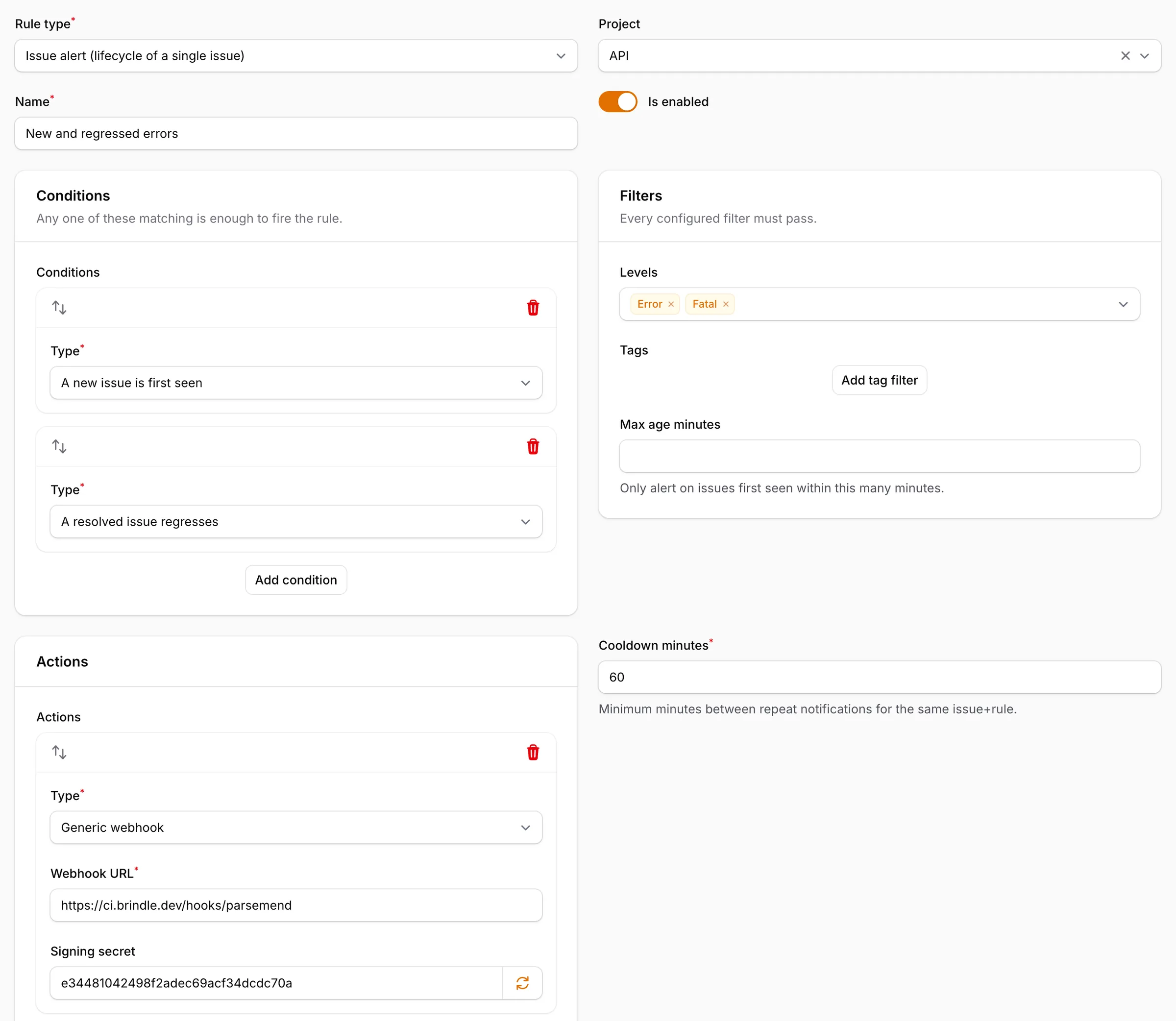
- Issue rules
- new issue, regression, frequency
- Metric rules
- error count, failure rate, p95
- Channels
- email, Slack, Discord, webhook
- Webhook
- HMAC-SHA256 signed
X-Parsemend-Signature: sha256=9c1e...{ "event": "issue_alert", "condition": "first_seen", "issue": { "display_id": "API-47", "title": "TypeError: Cannot read...", "level": "error", "times_seen": 47 } }
DeveloperYour coding agent can pick up any of these issues and fix it. How it works
Questions
Can an alert start an AI agent?
Yes. Point a webhook at the job that runs your agent. The payload carries the issue id, which the agent passes to Parsemend's MCP server.
Do downtime and missed cron jobs alert too?
Yes. They open ordinary issues, so the same rules and channels apply.
Does a new project alert by default?
No. Add a rule for new issues and regressions when you create the project.
A new project has no alert rule until you add one.